The Most Productive Office Chairs for Your WFH Set Up
Transform your workspace.
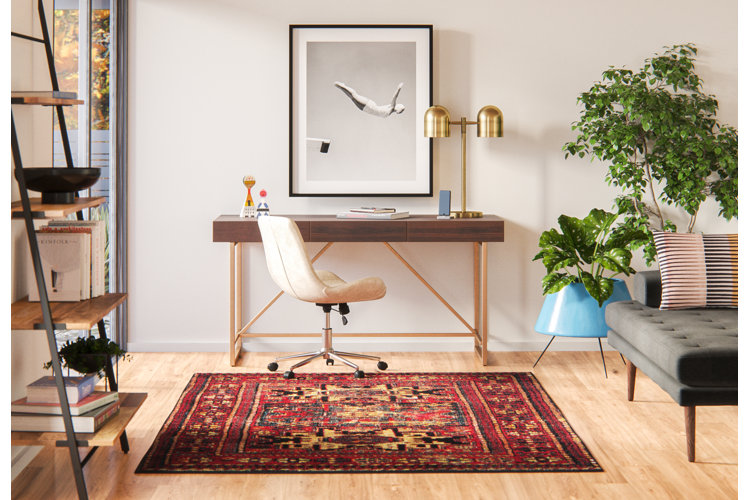
Sitting on the right office chair can make or break your productivity when working from home. Find an office chair that works just as hard as you do with our in-depth guide. Discover everything from office chair types, features and a few fancy extras.
Types of Office Chairs
Executive and task chairs
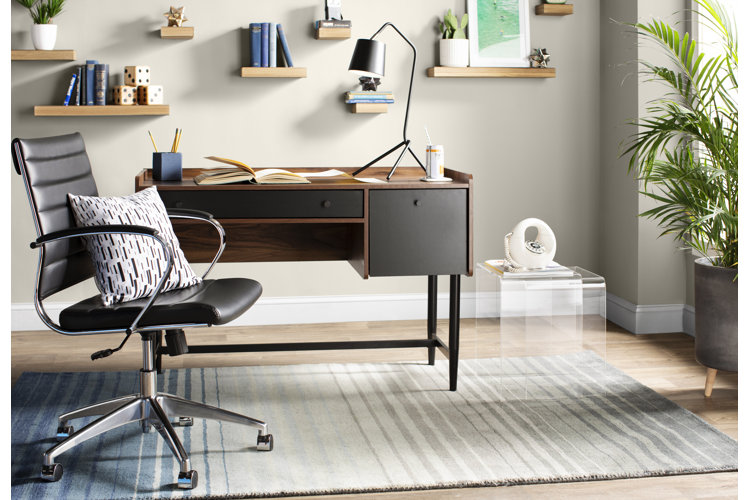
Task and executive office chairs are the two styles you're most likely to find behind an average computer desk. Both chair types come with wheels and swivel seats to enable easy movement around your desk. Executive office chairs are generally larger than task chairs with additional padding, more luxurious fabrics and greater adjustability. Seat heights (and sometimes backs) can be adjusted to fit different people, making these kinds of chair a good choice for use by multiple people. Task chairs may or may not have armrests, whereas most executive office chairs do.
Traditionally, draughtsman chairs were designed to suit draughtsman tables - tilted sketching tables often used by architects but today draughtsman chairs are more commonly used with tall work surfaces thanks to their longer chair legs and handy adjustable height. Often inclusive of armrests, draughtsman chairs feature foot bars for support and comfort, making them ideal for anyone prone to spending long hours working.
Office Stools
Office stools are ideal for those with a tendency to move around a lot while working, as they offer the convenience of easy alternation between standing and sitting down. They're also a great choice for small spaces, as they can fit under desks when not in use.
Suitable for both short and tall work surfaces, there are a wide range of stools on the market, including ergonomic styles, which feature adjustable seat heights, casters and back rests, all of which can help support good posture. Fitness-style versions are also available, complete with features such as half-ball seats, which train the back muscles, turning a sit down into a workout.
Kneeling Chairs
Taking the strain and pressure off the lower back with their ergonomic design, kneeling chairs are great for those prone to back pain after long hours of working. They're also great for improving posture and keeping joints and muscles active while sitting. For those with weak knees however, kneeling chairs are not recommended as these chairs shift the pressure off the back and onto the knees, which are locked in a fixed position.
Office Chairs: Things to Consider
An important thing to consider when choosing an office chair is how you plan to use it. An adjustable chair is great for homes in which everyone uses the desk, for office work, homework and more. If you spend a lot of your day sat at your chair, something more ergonomic will help keep you comfortable and supported. Everyone's workspace is different, so to help think about how you use yours, here's a list of questions to ask yourself before you buy.
How Much Space Do You Have?
When choosing your office chair, always think about your current working desk and the space around it. If the room you have to use is limited, opt for a smaller chair or stool that can fully tuck under the desk out of the way when not in use. Executive chairs are better suited to roomier spaces, due to their larger size and wide armrests, which are more cumbersome to fit under tables.
Who Will be Using the Chair?
The next thing to consider when buying a chair is who's going to be sitting on it? If multiple people are set to use the chair, opt for something comfy with broad appeal, and easy height and arm adjustability so that it can be altered to seat people of all sizes. Executive chairs and task chairs are the better options for multi-person use, as they can be easily adjusted and their traditional shape is likely to please everyone. We recommend choosing a chair with padding and armrests to ensure maximum comfort for all. Another smart choice would be a drafting chair, which caters to different people and table heights with its handy adjustability.
How Long Will the Chair be in Use?
Finally, consider how long you're likely to use the chair at one time. If you think you'll spend long intervals sitting down, an ergonomic and comfortable chair is a must. Task and executive chairs are a good all-round choice as they're comfortable and adjustable, while keeping a traditional chair shape. If you're prone to back problems, a kneeling chair is a great choice due to its ergonomic design. If you're only likely to use the chair for short periods of time, your options are endless; but avoid stools if you need or prefer back support, and kneeling chairs if you want to keep the pressure off your knees
Additional Ergonomic Features
The days of a chair being just a place to park yourself while you work are long gone. Ergonomics is the science of designing with the shape of human body's in mind. Most office chairs have some ergonomic features, from curved backs to innovative leg placements.
Ergonomic features are intended to reduce fatigue, discomfort or long-term strain related to spending a lot of time sitting down. As office chairs are generally used for long periods of time, strong ergonomic features can help ensure strong posture and minimal strain on any given body area.
Here are a few common ergonomic features to look out for:
Adjustable Seat Height
An essential feature for those sitting and working for long hours at a time, the adjustable seat height feature ensures maximum long-term comfort while working and is particularly handy for chairs that will be used by a lot of different people and with multiple surface heights.
Lumbar Support
Office chairs provide lumbar support through gentle curves in the seating which mold to the back's natural shape in a bid to promote strong posture. Chairs with lumbar support are great as they can be adjusted to suit individual spinal curves.
Seat Slider
The seat sliding feature allows you to slide towards and away from your desk. If you like to sit close to the desk, this is a great feature to look out for as it will bring you closer while keeping you in a healthy upright position towards the back of the chair. It's also a useful feature for getting in position to use a desk in a smaller space.
Tilt Control
If you prefer not to sit upright while working, tilt control is a great ergonomic feature as it allows you to adjust the angle of the back of the chair. Chairs with this feature can usually be left in a free float or locked in a position of preference.
Wheels/Castors
Wheels or castors are essential if you tend to move around a lot while working. They're also useful for transporting chairs from one room to another, as they can be easily rolled in and out, without any heavy lifting.
Swivel
Swivel seats remove the need to stretch and twist in your seat, as the seat does all the moving, allowing you to reach all parts of the desk easily and conveniently.
Extra Seat Padding
Another essential feature for a chair used for long periods of time is having the right padding. This is a personal choice but ideally padding should be both soft enough for comfort and firm enough to support body weight.
Adjustable Armrests
Recommended if you're going to be spending long hours sitting down, armrests support the weight of the body. Chairs with adjustable armrests are great as they can be altered to fit your height and lowered to fit under desks when not in use.
Tip: Still unsure which office chair is right for you? Then read:
- Gaming Chair vs. Office Chair: Which to Choose?
- How to Create the Ultimate Gaming Setup at Home
- Why Ergonomic Seating is a Worthy Investment
